The Ultimate Guide to Deploying Copiers at Marathon Events in Hong Kong
When you think of a marathon in Hong Kong—whether it's the massive Standard Chartered Hong Kong Marathon or a smaller community run in the West Kowloon Cultural District—you picture thousands of runners, hydration stations, and cheering crowds. But behind the scenes, a marathon is a massive logistical operation. For SME event organizers, managing the flow of information is just as critical as managing the flow of runners.
From printing last-minute runner bibs and liability waivers to generating medical incident reports and press releases for the media center, reliable printing infrastructure is non-negotiable. Deploying copiers and multifunction printers (MFPs) in an outdoor, temporary environment presents unique challenges, especially in Hong Kong's demanding climate.
In this comprehensive guide, King Copier breaks down everything event organizers need to know about deploying copiers at marathon events, from choosing the right brands to handling Hong Kong's notorious humidity and power constraints.
1. Why Do You Need Copiers at a Marathon?
In an increasingly digital world, you might wonder why physical printers are still necessary at sporting events. The reality is that on-site operations require immediate, tangible documentation. Here are the primary zones where copiers are essential:
Registration & Info Booths
Printing replacement bibs, liability waivers, route maps, and emergency contact forms. When a runner's phone dies and they can't show their QR code, paper backups save the day.
Media & Press Center
Journalists require physical copies of race results, press releases, and winner profiles immediately after the race concludes. High-speed A3 printing is usually required here.
Medical Tents
Medical staff must document injuries, treatments, and hospital transfers. These legal documents require physical signatures and immediate duplication for hospital staff and event records.
Command Center
The central hub needs to print logistics manifests, volunteer deployment schedules, and emergency evacuation protocols. Reliability here is a matter of public safety.
2. Key Challenges of Outdoor Event Printing in Hong Kong
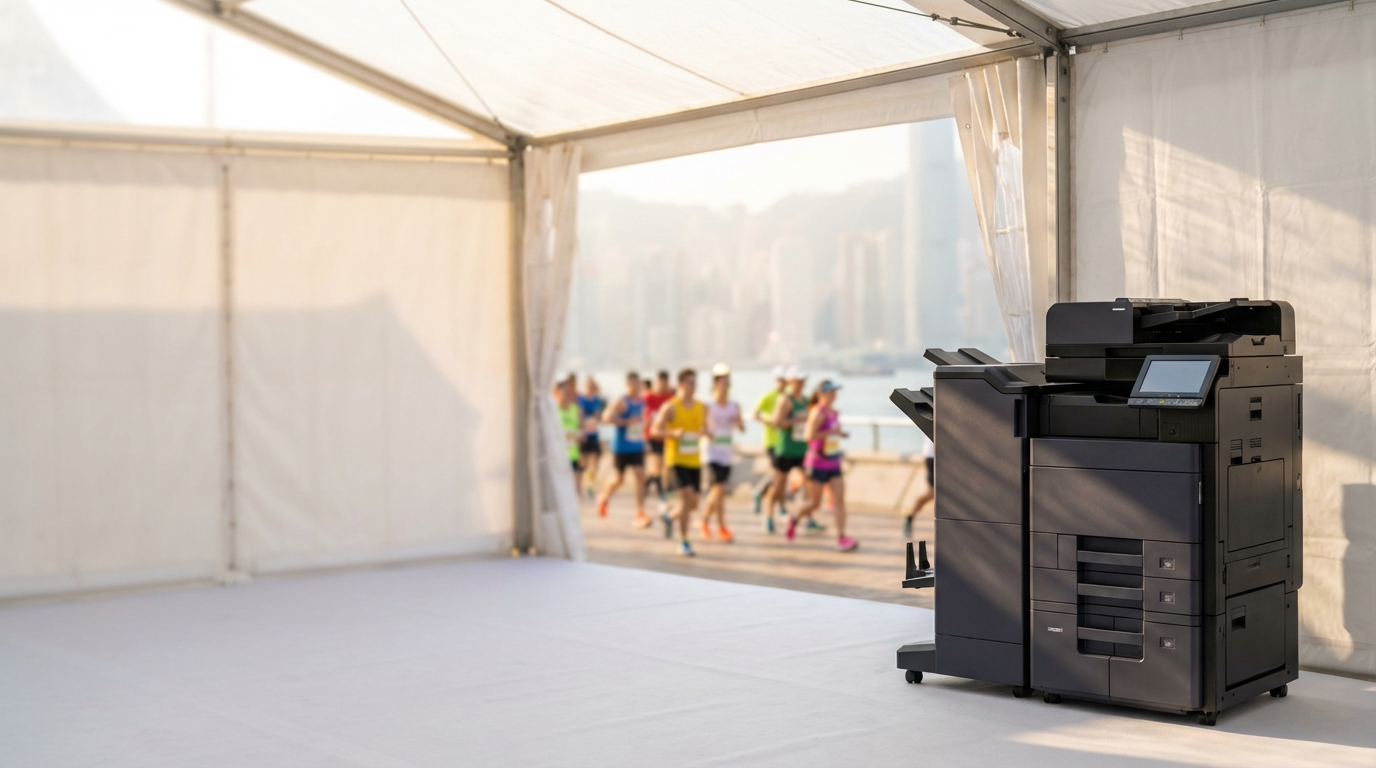
Deploying office equipment in a temporary outdoor setting like Victoria Park or the Central Harbourfront is vastly different from setting up a machine in an air-conditioned office in Kwun Tong.
-
!
Extreme Humidity and Paper Jams
Hong Kong's relative humidity frequently exceeds 85%, especially during early morning marathon setups. Standard copy paper absorbs moisture rapidly, causing it to curl and stick together. This is the #1 cause of paper jams at outdoor events. Pro Tip: Keep paper sealed in its original ream wrappers until the exact moment you need to load the trays, and consider using machines with heated paper trays if available.
-
!
220V Power Stability (Generators)
Most outdoor events rely on diesel generators. Traditional laser copiers draw massive power spikes (often over 1500W) when their fuser rollers heat up. If the generator's voltage fluctuates, the copier will reboot or throw an error code. You must ensure a stable 220V power supply, ideally paired with a UPS (Uninterruptible Power Supply) to smooth out voltage spikes.
-
!
Space Constraints & Lift Access
Event tents in Hong Kong are typically standard 3x3m marquees. Space is at a premium. Furthermore, getting heavy A3 copiers to specific zones might involve navigating grassy areas, temporary ramps, or lacking lift access. Pallet jacks and machines with robust, lockable wheels are essential.
-
!
Network Connectivity
With 10,000+ runners and spectators in one area, local 4G/5G cell towers get congested. Relying on Wi-Fi to send print jobs is risky. Always deploy a dedicated 5G router with wired LAN connections directly to the copiers and laptops.
3. Choosing the Right Equipment: Brand & Tech Comparison
Not all printers are created equal when it comes to event deployment. Here is how different brands and technologies stack up for marathon logistics.
Laser vs. Business Inkjet
Traditionally, laser printers (like those from FujiFilm, Xerox, Canon, Ricoh, and Konica Minolta) are the gold standard for speed and crisp text. However, for outdoor events running on generators, Epson's Heat-Free Business Inkjet technology is a game-changer. Because they don't use heat to fuse toner, they consume up to 85% less power, drastically reducing the risk of tripping a generator circuit.
| Marathon Zone | Recommended Brands | Key Features Needed |
|---|---|---|
| Media / Press Center | FujiFilm, Canon, Ricoh | High-speed A3 Laser, Stapling finisher, High capacity trays (50+ ppm). |
| Command Center | Konica Minolta, Sharp, Toshiba | Reliable A3/A4 MFP, fast scanning for incoming manifests, robust networking. |
| Medical Tents | Kyocera, Brother | Durable A4 Laser, compact footprint, extremely low jam rate. |
| Registration Booths | Epson, HP, Pantum | Low power consumption (Epson), compact size (HP/Pantum), easy to move. |
4. Step-by-Step Deployment Checklist
To ensure a flawless execution on race day, follow this deployment checklist:
- T-14 Days (Site Visit): Inspect the venue. Identify where the generators will be placed and measure the distance to the printer tents. Confirm if there are stairs, curbs, or soft ground that will complicate delivery.
- T-7 Days (Network Config): Pre-configure all IP addresses. Set up the 5G routers and assign static IPs to all copiers. Test printing from the event laptops in your office before moving to the site.
- T-2 Days (Delivery & Setup): Deliver the machines. Use heavy-duty plastic wrapping to protect them from unexpected rain during transport. Lock the wheels and level the machines (uneven ground causes paper jams).
- T-1 Day (Power Test): Connect to the generator power. Run a stress test—print 100 pages continuously to ensure the generator doesn't trip when the fuser heats up.
- Race Day (Paper Management): Only open paper reams 30 minutes before the event starts to combat humidity. Keep spare toner cartridges on-site.
5. The Critical Need for a 4-Hour SLA (or On-Site Tech)
In a standard Hong Kong office, if a copier breaks down, a next-day repair is usually acceptable. At a marathon, a broken printer in the medical tent or media center is a crisis.
When renting equipment for an event, you must negotiate a strict Service Level Agreement (SLA). A 4-hour SLA is the absolute minimum requirement. However, for major events, King Copier highly recommends hiring an on-site standby technician.
An on-site tech can instantly clear complex paper jams, swap out empty toners, reset network connections if the 5G router drops, and ensure seamless operation while your event staff focuses on the runners.
6. Cost Estimation for Event Copier Rental (HKD)
Short-term rentals (typically 3 to 5 days to cover setup, race day, and teardown) are priced differently than 36-month office leases. The cost includes the machine, delivery/pickup logistics, toner, and technical support.
Estimated Short-Term Rental Costs (3-5 Days)
- Basic A4 Desktop Printer (e.g., Brother, HP, Pantum) HKD $800 - $1,500
- A4 Multifunction Laser/Inkjet (e.g., Kyocera, Epson) HKD $1,500 - $2,500
- Heavy-Duty A3 Color Copier (e.g., FujiFilm, Canon, Ricoh) HKD $3,500 - $6,000+
- On-Site Standby Technician (Per Day) HKD $1,500 - $3,000
* Prices are estimates and vary based on specific location access (e.g., stairs vs. lift), print volume, and exact machine specifications.
Conclusion
Deploying copiers at a marathon in Hong Kong is a specialized task that requires careful planning, the right choice of equipment, and an understanding of the local environment. Whether you need the low-power reliability of an Epson inkjet for a generator-powered registration tent, or the high-speed output of a FujiFilm or Canon for the media center, partnering with an experienced equipment broker is key to a smooth race day.
Need Expert Advice?
Our consultants can help you find the perfect printing solution for your office.
📞 +85221164877 · King Copier · Operated by Techieasy Limited