The Office Admin's Survival Guide: How Employees Secretly Max Out Office Copier Resources
(如何偷偷用盡辦公室影印機資源?)
It’s 6:45 PM on a Friday in your Kwun Tong office. The boss has left, the lights are dimmed, and a suspicious, rhythmic humming echoes from the pantry. As the Office Admin, your spidey senses tingle. You turn the corner and catch them red-handed: an employee printing 300 pages of DSE past papers for their kid... in full, glorious color.
Welcome to the secret war of office resources. While you are busy trying to optimize the company's operational budget, some employees view the office multifunction printer (MFP) as their personal, unlimited, free-of-charge printing press. From wedding invitations to side-hustle flyers, the creativity of an employee trying to "secretly max out office copier resources" (如何偷偷用盡辦公室影印機資源) knows no bounds.
In this comprehensive guide, we are pulling back the curtain on the sneaky ways staff abuse company printers. More importantly, we will equip you—the unsung hero of the office—with the knowledge, software solutions, and hardware strategies to lock down your fleet, save thousands of Hong Kong Dollars, and finally bring order to the print room.
😂 Admin Joke Break
"Why did the office printer break up with the computer?"
"Because it had too many paper jams and just couldn't handle the attachment issues!"
The 5 Types of Print Abusers in Every HK Office
To defeat the enemy, you must first understand them. Here are the most common profiles of employees who are secretly draining your toner cartridges:
1. The "Tiger Parent"
The Crime: Printing ten years' worth of DSE, TSA, and Cambridge English past papers. They usually strike during lunch hours or right before leaving.
Cost Impact: High volume, usually B&W, but massive paper waste.
2. The "Wedding Planner"
The Crime: Why pay a professional print shop in Mong Kok when the office has a high-end FujiFilm or Xerox machine? They bring their own premium 250gsm cardstock and print 200 full-color invitations.
Cost Impact: Extreme color toner drain. High risk of paper jams.
3. The "Side-Hustler"
The Crime: Running an IG shop or a tutoring gig on the side. They use the office Canon or Konica Minolta to print shipping labels, promotional flyers, and invoices.
Cost Impact: Consistent, daily drain on both color and B&W resources.
4. The "Color-Blind Executive"
The Crime: They aren't malicious; they are just oblivious. They print 50-page internal reports in full color just because there is a tiny blue hyperlink on page 42. They never use duplex (double-sided) printing.
Cost Impact: Silent budget killer. Accidental color clicks cost 10x more.
The True Cost of "Free" Printing in Hong Kong
Let's talk numbers. In Hong Kong, where office rent in Central or Quarry Bay is astronomical, every square foot and every operational expense matters. When employees abuse the copier, they aren't just stealing paper; they are inflating your meter readings (click charges).
| Unauthorized Print Job | Specs | Est. Cost per Page (HKD) | Total Hidden Cost (HKD) |
|---|---|---|---|
| DSE Past Papers (10 years) | 500 pages, B&W, Single-sided | $0.08 - $0.12 | $40 - $60 |
| Wedding Invitations | 200 pages, Full Color, Heavy Coverage | $1.00 - $1.50 | $200 - $300 |
| IG Shop Flyers (Monthly) | 300 pages, Full Color | $0.80 - $1.20 | $240 - $360 |
| Estimated Annual Loss per Abusive Employee: | ~$3,500+ HKD | ||
*Costs are estimates based on average Hong Kong meter charges and paper costs. Heavy color coverage (like photos) consumes significantly more toner.
How to Catch the Culprits (Without Being the Bad Guy)
You don't need to install CCTV cameras above the Ricoh or hide in the server room to catch print abusers. Modern copiers are essentially smart computers, and with the right setup, you can track every single page printed, copied, or scanned.
1. Implement "Follow-Me" Printing (Octopus Integration)
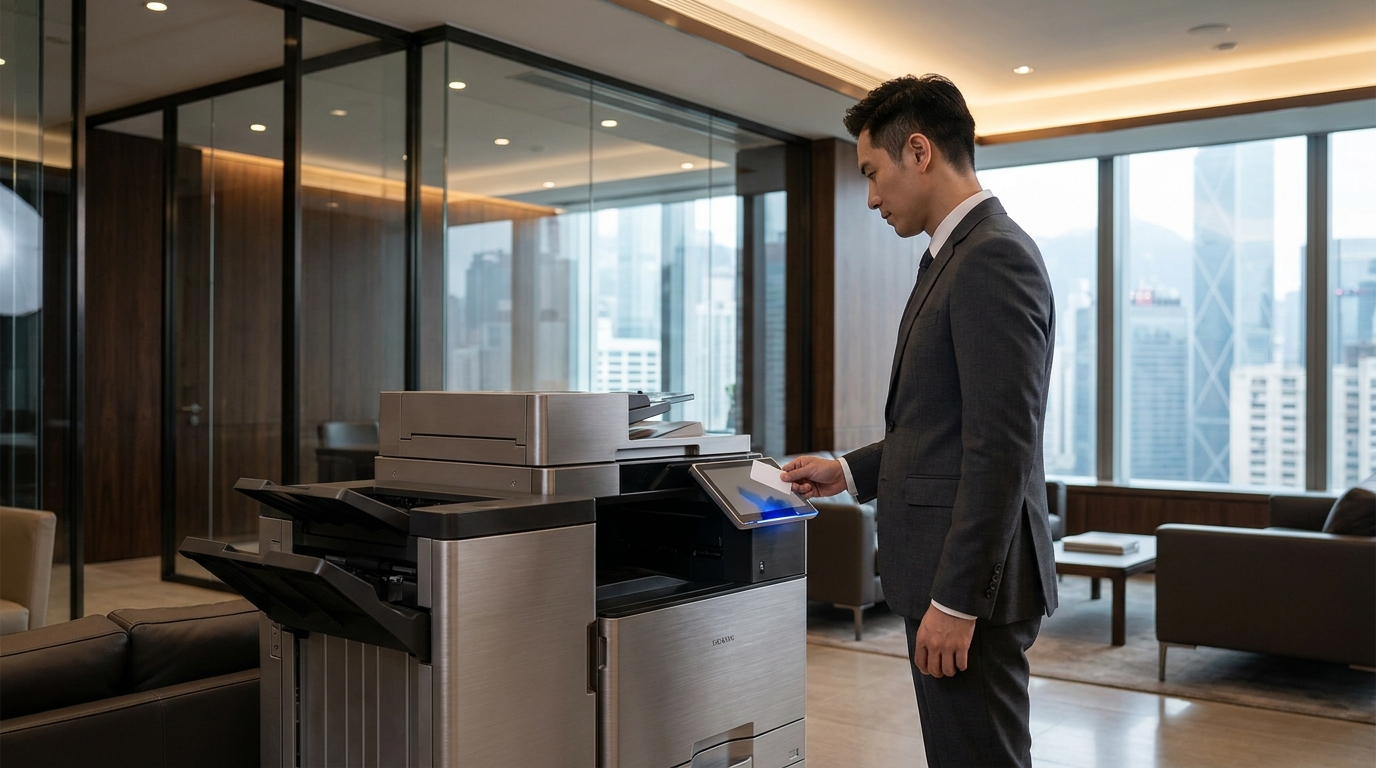
This is the ultimate weapon for Hong Kong office admins. Instead of print jobs spitting out immediately, they are held in a secure server. The employee must walk up to the machine and tap their staff card (or even their personal Octopus card) to release the job.
Why it works: It completely eliminates "abandoned" print jobs (which account for up to 20% of office waste). Plus, nobody wants to stand at the copier for 10 minutes printing a novel while their colleagues are watching. Brands like Canon (via uniFLOW) and Kyocera excel at this integration.
2. Set Hard Quotas and Department Budgets
Using print management software (like PaperCut, which works beautifully with Sharp, Toshiba, and almost all major brands), you can assign a monthly budget to each user. For example, Marketing gets 500 color pages, while Accounting gets 0 color pages and 1000 B&W pages. Once they hit the limit, the machine simply says "No."
3. Force Default Settings via IT Policy
Work with your IT department to push a group policy to all computers. Make the default print setting: Black & White, Duplex (Double-sided), and Draft mode. If an employee wants to print in color, they have to manually go into the settings and change it. You'd be surprised how much money laziness can save you!
😂 Another Admin Joke
"What is an Office Admin's favorite horror movie?"
"The Silence of the LAN... followed immediately by the Beeping of the Empty Toner."
Upgrading Your Fleet: Which Brands Offer the Best Control?
If your current printer is a "dumb" machine that lets anyone print anything, it might be time for an upgrade. Here is a quick breakdown of how different brands cater to office security and cost control:
The Enterprise Giants
FujiFilm, Xerox, Canon, Ricoh
These brands are the heavyweights of the corporate world. They offer robust, built-in management software (like Canon's uniFLOW or Ricoh's Streamline NX). They are perfect for large offices that need strict department billing, advanced security, and high-volume color control. If you have a FujiFilm or Xerox, you *must* lock down the color settings, as their high-quality output is a magnet for unauthorized photo printing!
The Workhorse Warriors
Konica Minolta, Kyocera, Sharp, Toshiba
Known for reliability and cost-efficiency. Kyocera is famous for its long-life ceramic drums, making the total cost of ownership incredibly low. Konica Minolta offers excellent user authentication via their bizhub interface. Sharp and Toshiba provide highly customizable touchscreens where you can force users to log in before they even see the copy menu.
The Desktop Defenders
Brother, HP, Epson, Pantum
Don't ignore the smaller A4 printers scattered around the office! Employees often bypass the main locked-down copier and sneak over to the HR department's Brother or the boss's HP LaserJet. Modern Epson WorkForce models and even budget-friendly Pantum printers now come with secure print features. Ensure these are connected to your central print management system, or at least have local PIN codes enabled.
The Ultimate Office Admin Print Security Checklist
Print this out (in black and white, of course) and start taking back control of your office resources today:
- Audit Your Fleet: Count every printer, from the massive Ricoh in the hallway to the tiny Pantum on the receptionist's desk.
- Enable User Authentication: Turn on PIN codes, ID card swiping, or Active Directory login for all devices.
- Restrict Color Access: Only grant color printing rights to departments that actually need it (Marketing, Design, Sales). Block it for everyone else.
- Set Defaults: Work with IT to force B&W and Duplex printing at the driver level.
- Implement Rule-Based Routing: Automatically redirect large print jobs (e.g., over 50 pages) from expensive desktop printers to the more cost-effective central MFP.
- Publish a Print Policy: Send a friendly but firm memo to all staff outlining the new rules. Transparency prevents complaints!
Conclusion: From Chaos to Control
Employees will always try to find ways to "secretly max out office copier resources" (如何偷偷用盡辦公室影印機資源). It is human nature to love a free perk. However, as an Office Admin, your job is to protect the company's bottom line. By understanding their tactics and implementing smart hardware and software solutions, you can transform your office printing from a financial black hole into a streamlined, cost-effective operation.
Remember, you don't have to do this alone. Whether you need to upgrade an old machine to a secure new model, or you want to implement a managed print service (MPS) to track every single page, consulting with a professional broker can save you time and headaches.
Need Expert Advice?
Our consultants can help you find the perfect printing solution for your office.
📞 +85221164877 · King Copier · Operated by Techieasy Limited
Need Expert Advice?
Our consultants can help you find the perfect printing solution for your office.
📞 +85221164877 · King Copier · Operated by Techieasy Limited